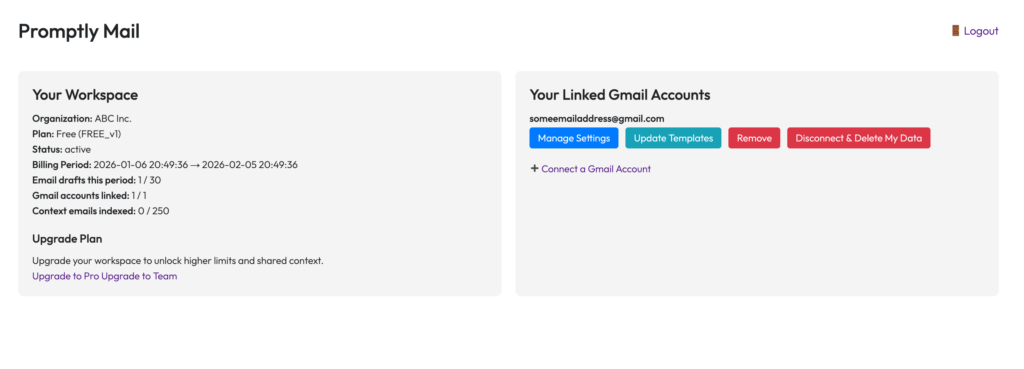
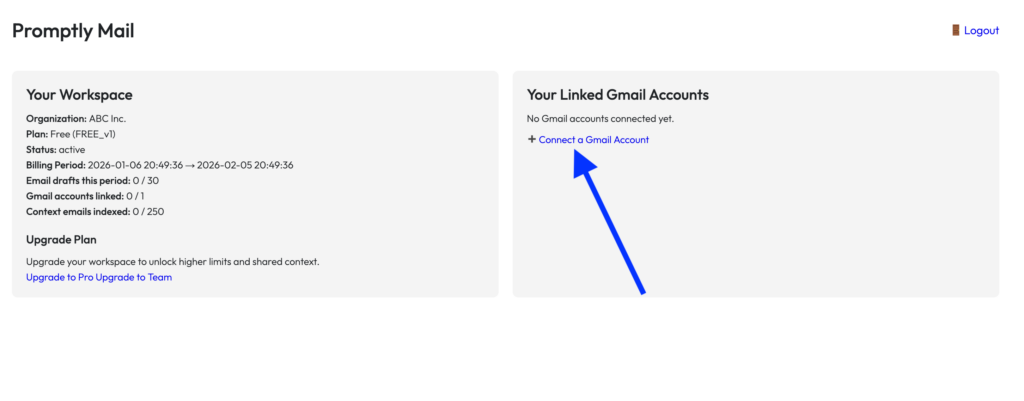
To connect a Gmail account to Promptly Mail, log in to your dashboard and, in the Your Linked Gmail Accounts section, click Connect a Gmail Account.
If you are already logged in to Gmail in your browser, you’ll be presented with a screen that shows you the logged-in accounts, from which you can select the one you want to connect to Promptly Mail.
If you are not logged in to Gmail, it will take you to a screen where you can log in.
After choosing an account or logging in, Google will present you with a screen that lists the terms of connecting your account. Once you accept/confirm this, it will bring you back to the Promptly Dashboard where you will now see your Gmail account, and the available options for it, in the Your Linked Gmail Accounts section.